Thursday, February 24, 2011

How I Fixed the Nook "User not activated" Error

CC by felishumanus

Yesterday I wrote a blog on my Thoughts on My New Nook E-reader and mentioned how I kept getting a "User not activated" error every time I tried to open a book on my Nook. Well, I fixed the problem last night! Just one simple list of instructions wasn't fixing my problem because they weren't written for people with Macs. We have other steps we need to follow in addition to the list they shared. Should you be someone that stumbled upon this post because you're experiencing the same problem, this was the solution that worked for me: 

On a mac, one of the folders you need to delete will be hidden because it begins with a period.  Use these instructions to show all files on a mac so you can see that folder (i'll tell you exactly which folders to delete in a second).


1. Make sure "Adobe Digital Editions" is closed
2. Connect Nook to Mac
3. Go into the Nook drive that opens on your desktop.
4. Delete these directories in the Nook drive:  "Digital Editions" and ".adobe_digital_editions" folder 
5. Empty the "Trash"
6. Open "Adobe Digital Editions"
7. Reauthorize

If you have any problems, let me know. Maybe I can help.

Wednesday, February 23, 2011

Thoughts on My New Nook E-Reader

CC by davidking 
I received my Nook E-reader in the mail last week. T’was a very exciting day. Just the look of it got me giddy. It’s sleek, white and uber modern looking. Every time you put it on Sleep mode (or it goes on Sleep mode due to idleness), it shows the screensaver, a “sketched” portrait of a different author (there are other screensavers but that’s all I’ve gotten so far).  Most importantly, its kinda touch screen. I say “kinda” cuz there’s a navigational screen at the bottom from which you control your selections on the actual “bigger” screen. That little navigational screen is in color. Yay to color!

Other things that I’m excited about with the Nook are:
  • It allows you to browse the Barnes & Noble Book Store directly from your Nook when you are inside a B&N store. You can read books on your Nook for up to 1 hour for free from inside Barnes & Noble.
  • I like that you can use the Internet on your Nook.
  • It has LendMe Technology, which allows you to share your books with someone else for up to 14 days. Most e-readers have this feature and there are social networks that cater to e-book lending.
  • Battery life is great


Now here is a frustration I’ve been having with my Nook:
Before I got my Nook, I was using another e-reader called Literati from The Sharper Image. I purchased and downloaded a couple of books from Kobo.com during my time with my ex-reader. Now, I’ve attempted to transfer those books to my Nook, and while they do show up in my library, every time I attempt to open the books, I get a message that says “User not activated.” Apparently they are referring to “Adobe Digital Editions User”. I’ve found forums where people give directions on how to get rid of this “User Not Activated” message, but quite honestly, I don’t understand what the hell they are saying.

Result:
It’s been a week and I haven’t been able to use my Nook for anything else other than playing Sudoku (partly due to my lack of patience for resolving the issue and I haven’t tried to read any other books aside from those I transferred from Kobo.com). But, hey, it still looks really pretty! But, fo’ reals, I will fix it. Maybe I’ll give it another go today. If anyone knows what I have to do to get around this “User not Active” hump, please do let me know!


-------------------Update-------------------

Check my next blog post to see How I resolved the "User not activated" problem.

Tuesday, December 7, 2010

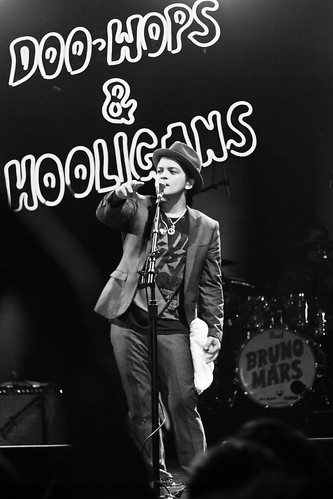
Lovin' Bruno Mars

CC by Brothers Le
I have become obsessed with Bruno Mars. Embarrassingly so. I don't even recognize myself! I feel like a young teenager who isthisclose to putting his posters up on my wall and searching through the different celebrity addresses in Tiger Beat so I can write him fan mail. But no. Keep it cool, Me! You'd be one in a million who already do that.
No, but really, I'm not a groupie bitch. Never have been. Yeah, i get excited if I see anyone mildly famous, but that's only when I'm in their presence. Also, as my best friend kindly pointed out, I'm an "old bitch" and I need to quit. Not old - but too old for this behavior.
So what makes Bruno Mars so fascinating to me? For starters, I fell in love with his voice since I heard "Billionaire." Then I saw him. I was surprised to see that he bears a striking resemblance to my boyfriend.  They even have a similar style - which I appreciate. Ahhh, he's a version of my boyfriend who sings beautifully. Hot. No further questions, your honor.

Monday, November 22, 2010

What's Up with the Huge Pink Snails around Miami Beach?


A couple of days ago I started noticing some big, bold, magenta-colored snails placed in random spots around Miami Beach. I asked my boyfriend about them and he said maybe they had something to do with Art Basel. Maybe.

Then I asked my sister-in-law. She said "I don't know! But now that I hear you say "Pink Snails" out loud, I realize that I saw a sign that said Pinksnails.com and I thought 'What a weird name for a salon'." Jackpot!

Its called the REgeneration Art Project by the Cracking Art Group (an international art collective) and the Galleria Ca d'Oro in Rome. The project placed 45, enormous pink snails in Miami Beach, and they'll be here until January. The snail is used to symbolize nature and they are made up of recycled artificial material. The purpose is to make people question their meaning (of course) and start talking about them to one another. Ultimately, they'd find out the meaning of the snails and start thinking about the impact that recycling has on the environment. Then, hopefully, us residents of Miami Beach will become motivated to rebuild our city in a fun, animated way with consideration for our environment.

Wednesday, November 10, 2010

My Favorite Free Android Apps

CC by svet
Apps were invented to do all the things that make my life just a tad bit easier. They compare prices of a products at local stores for me, they download music, they organize my shopping lists and to-do lists...Also,  I don't believe in downloading apps that you have to pay for...so, it's my belief that the best apps are free. Following are my favorite, must-have apps.

Calorie Counter  - This app functions like a food journal. Enter your current weight, goal weight and other like information to get your recommended daily caloric intake. Then log your meals in the food journal. You can enter it by scanning the barcode or doing a search for that particular product (brand, size, etc.). It automatically fills in the nutritional value information and adds it to your day's calorie count.

Craigslist  (AKA Craigsnotifications) - Awesome app. Create saved searches and receive notifications every time a new posting is added. The end.

gReader - Read all the blogs you follow on Google Reader from your phone. It also can send you notifications when a blog post is added.

MusicBox  - Download Mp3s

Notes  - This is the app that allows you to write down and save information you want/need at a future time without scrambling for a pen and paper.

OI Shopping  - Create multiple shopping lists in this app and name them (grocery list, christmas list, etc.) Once you buy the item on your list, you simply tap the checkbox next to it to add a check mark.

PhoneFlicks - (For Netflix users) Update your queue, rate movies and do most things you can do on Netflix. Only thing I wish it did was let me what movies on Instant Play from my phone :(

Shazam  - Of course. Everyone with an iPhone or Android has to have Shazam. If you like the song playing on the radio, run Shazam to get the name of the song and the artist.

Sherpa  - I am not sure, but I think this app may be exclusive to MyTouch users. Search different categories of locations nearby (restaurants, gas stations, ATMs, etc). Selecting any of the venues listed on Sherpa normally returns options like Call, Directions, Reviews and more.

Shopper - Scans the cover of books, CDS, DVDs or barcodes and searches Google to locate the different online/nearby stores that sell the item and lists the prices. You may also search by name.

ShopSavvy  - Scans barcodes or searches by product name to find a list of nearby/online stores that sell the items and how much they sell them for. I'm not sure which is better of Shopper or ShopSavvy, so I'll keep both till I figure it out.

Taskos - Yay! One of my favorites, because I'm a to-do list LOSER. Keep all your to-do's in this list and check them off once they're completed.